|
 |
|
|
|
|
|
|
 |
| ★ wanayoo — archive 1999 http://developer.java.sun.com/developer/technicalArticles/Servlets/JavaServerTech1/index.html | Nouvelle recherche | Portail wanayoo |
|
|
|
 |
 |
 |
 |
 |
 |
 |
 |
|
Up until now, the Java story has largely been a client-side story. That's about to change. Now web servers can be extended through Java power just like web browser clients. In the context of client-server software solutions--including the serving and browsing of Internet web pages--Java applets have enabled client browsers to extend their behavior by downloading compiled code from network servers. Applets have changed the nature and meaning of distributed computing. Applets have opened new worlds by enabling the convenient distribution of compiled code from a central server. There's no reason that servers can't take advantage of Java in the same way that desktop applications have been able to take advantage of Java. To this end, JavaSoft has introduced server technology that is written in 100% Pure Java TM and that is capable of being extended dynamically by loading compiled Java code known as a servlet. While applets provide a way of dynamically extended the functionality of client-side browsers, servlets let you dynamically extend the functionality of network servers. At JavaOne, David Brownell encouraged programmers to think of servlets as server-side components. Servlets are to servers what applets are to browsers. Servlet code can be downloaded into a running server to extend its behavior in order to provide new, or temporary, services to network clients.
Hello, CGI World There are two sides to form processing: specifying the input fields and widgets to be presented to the users in an HTML file, and processing the fields of data that have been filled in by the user once the submit button for the form has been pressed. First consider a form that looks like Figure 01.
First, look at the HTML code used to present the form to the user:
<html>
<head><title>JDC Survey Number 1</title></head>
<body>
<form action=/old?u=http%3A%2F%2Fcool1%3A8080%2Fservlet%2FJdcSurvey01&y=1999 method=POST>
<input type=hidden name=survey value=Survey01Results>
<BR>
<BR>How Many Employees in your Company?<BR>
<BR>
1-100<input type=radio name=employee value=1-100>
<BR>
100-200<input type=radio name=employee value=100-200>
<BR>
200-300<input type=radio name=employee value=200-300>
<BR>
300-400<input type=radio name=employee value=300-400>
<BR>
500-more<input type=radio name=employee value=500-more>
<BR>
<BR>General Comments?<BR>
<BR>
<input type=text name=comment>
<BR>
<BR>What IDEs do you use?<BR>
<BR>
JavaWorkShop<input type=checkbox name=ide value=JavaWorkShop>
<BR>
J++<input type=checkbox name=ide value=J++>
<BR>
Cafe'<input type=checkbox name=ide value=Cafe'>
<BR>
<BR><input type=submit><input type=reset></form>

</body></html>
File: TestJdcSurvey01.html This code file should be placed in the servlets directory, immediately below the root directory where you installed your JavaServer. The form specifies three basic questions to be answered by users. First, the question "How Many Employees in your Company?" offers a set of five radio buttons for potential responses.
    <BR>How Many Employees in your Company?<BR>
    <BR>
    1-100<input type=radio name=employee value=1-100>
    <BR>
    100-200<input type=radio name=employee value=100-200>
    <BR>
    200-300<input type=radio name=employee value=200-300>
    <BR>
    300-400<input type=radio name=employee value=300-400>
    <BR>
    500-more<input type=radio name=employee value=500-more>
Second, the question "General Comments?" provides a single
text input field for the users to type in a general comment.
    <BR>General Comments?<BR>
    <BR>
    <input type=text name=comment>
Third, the question "What IDEs do you use?" provides a set of
three check boxes. Unlike the radio buttons, these are not
mutually exclusive choices as the users may use all three
products: Java WorkShop, J++, and Cafe.
    <BR>What IDEs do you use?<BR>
    <BR>
    JavaWorkShop<input type=checkbox name=ide value=JavaWorkShop>
    <BR>
    J++<input type=checkbox name=ide value=J++>
    <BR>
    Cafe'<input type=checkbox name=ide value=Cafe'>
Finally a submit button is provided to cause the form to be submitted
and processed when the user has finished answering questions. A reset
button appears next to the submit button in case the user wants to
reset all fields to the original default values.
<BR><input type=submit><input type=reset></form>
Once you press the submit button, the data in the form is
passed as an argument to the servlet specified in the form
tag at the top of the HTML file:
<form action=/old?u=http%3A%2F%2Fcool1%3A8080%2Fservlet%2FJdcSurvey01&y=1999 method=POST>
This code is very similar to the way in which you would specify that
the data in the HTML form was to be processed by a CGI script
(whether Perl, shell, or compiled C program).
After submitting the form shown in Figure 01, the text in
file
<BEGIN>
ide: JavaWorkShop
survey: Survey01Results
employee: 500-more
comment: Great Stuff!
<END>

File: /tmp/Survey01Results.txt
Here's the code required to process the form once submitted from the page
described by the
import java.io.*;
import java.servlet.*;
import java.servlet.http.*;
import sun.server.http.*;
import sun.misc.*;
import java.util.*;
public class JdcSurvey01 extends HttpServlet
{
private String _baseDir;
/**
* Initialize the Servlet and set the html pages. Also
* start the cached cookie expires thread.
* @param stub Arguments passed by the Servlet loader
* @return void
*/
public void init (ServletConfig config) throws ServletException
{
super.init(config);
_baseDir = config.getInitParameter ("baseDir");
}
/**
* Write survey results to output file.
* @param request The Servlet request.
* @param response The Servlet response.
* @return void.
*/
public void service (HttpServletRequest request,
HttpServletResponse response) throws
ServletException, IOException
{
PrintWriter printWriter = null;
FileWriter results = null;
Enumeration values = request.getParameterNames();
PrintStream out = new PrintStream
(response.getOutputStream());
String surveyName = request.getParameter ("survey");
String cookieHeader = request.getHeader ("Cookie");
response.setContentType ("text/html");
try
{
results = new FileWriter (_baseDir + System.getProperty
("file.separator") + surveyName + ".txt", true);
printWriter = new PrintWriter (results);
printWriter.println ("
This servlet source file and the compiled servlet class should also be placed in the servlets directory immediately below the
root directory where you installed your JavaServer. Before clients
can make use of the extended server functionality added by the
JdcSurvey01 servlet class, you will also have to install
the servlet using the JavaServer administration applet.
First, two different output streams are opened for writing text, one to give feedback to the users, and the other to record the results of the survey.
    public void service (HttpServletRequest request,
                         HttpServletResponse response) throws
                         ServletException, IOException
    {
        PrintWriter printWriter = null;
        ...
        PrintStream out = new PrintStream
                               (response.getOutputStream());
        ...
    }
Recall that the public interface for PrintWriter is the same as for
PrintStream. The primary difference is the way that buffer flushing is
handled when println is called. The main thing to keep in mind here
is that anything written to printWriter will be saved in the
survey results file, while anything written to out will be printed
on the HTML form automatically generated by the JavaServer as a
result of processing the form.
To allow the survey results to be written to a file a
            results = new FileWriter (_baseDir + System.getProperty
                  ("file.separator") + surveyName + ".txt", true);
            printWriter = new PrintWriter (results);
Recall that _baseDir holds the string that was passed in
as the value of the baseDir property.
_baseDir = config.getInitParameter ("baseDir");
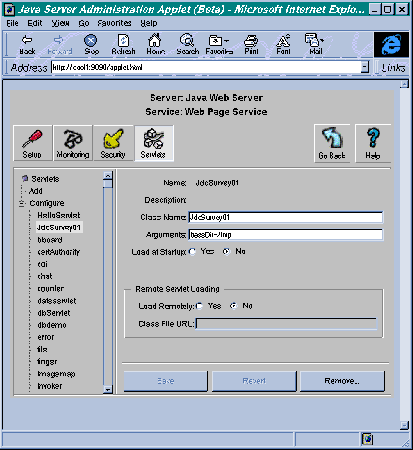
The value of the baseDir property was set in the Server
Administration applet to baseDir=/tmp when the
JdcSurvey01 was added to the list of supported servlets.
See Figure 06.
Thus the name of the file created by
            results = new FileWriter (_baseDir + System.getProperty
                  ("file.separator") + surveyName + ".txt", true);
is /tmp/Survey01Results.txt since the value of the
surveyName property was set TestJdcSurvey01.html.
If you want to change the name of the output file, edit the above line
accordingly.
Now output that is written to
printWriter.println ("
will be written to the file, /tmp/Survey01Results.txt.
Output that is written to
            out.println ("Thank-You for participating");
            ...
            out.println ("A problem occured while recording your
                          answers. Please try again.");
will appear in the client's browser after the form has been
processed and control returns from JdcSurvey01::service.
The main thing you need to know to understand how a servlet processes form
arguments, is that input for the form processing is read from
the request argument to the
    public void service (HttpServletRequest request,
                         HttpServletResponse response) throws
                         ServletException, IOException
    {
        ...
    }
More specifically, the request method contains a list of
parameters that can be retrieved with the
HttpServletRequest::getParameterNames method.
Enumeration values = request.getParameterNames();
With the values enumeration object returned by this call, you can now
set up a loop to process each of the parameters passed by the HTML form
to the servlet service routine:
            while ( values.hasMoreElements() )
            {
                ...
            }
The name of the parameter is retrieved on each iteration by
Enumeration::nextElement, while the associated value is
retrieved by HttpServletRequest::getParameter, which
accepts the parameter name as an argument.
                String name, value;
                name = (String)values.nextElement();
                value = request.getParameter (name);
The only value you don't want to print in the results file
is the value of the "submit" parameter, which is passed because
submit was specified as a button in the HTML file. The servlet
service routines weeds out this parameter with a simple
string comparison:
                if ( name.compareTo ("submit") != 0 )
                {
                    printWriter.println (name + ": " + value);
                }
You should now know enough to write simple servlets to extend
your JavaServer to process forms that you would otherwise have
to process with complex CGI scripts. The only other detail worth
mentioning is the exception-handling capabilities provided by
servlets. Be sure to specify that your service and
init methods in your HttpServlet subclass
can each throw a ServletException:
    public void init (ServletConfig config) throws ServletException
    ...
    public void service (HttpServletRequest request,
                         HttpServletResponse response) throws
                         ServletException, IOException
    ...
Inside the JdcSurvey01 servlet the service method uses two
try/catch blocks to help provide either the user or the
programmer with adequate feedback when something goes wrong. In the
first try block, the user is warned if a problem occurs
while attempting to write the survey results to the file. The second
try block, tries to assure that the results file
is properly closed before exiting the service routine. If not, a stack
trace is dumped to the standard error device.
http://webserver:9090/applet.html
where webserver is replaced with the host name of
your machine. In my case, my host machine's name is cool1
so the URL I invoke to install servlets is:
http://cool1:9090/applet.html
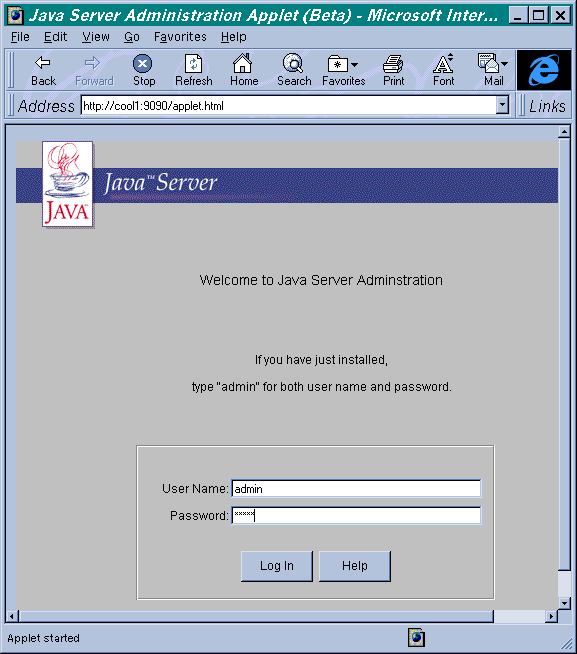
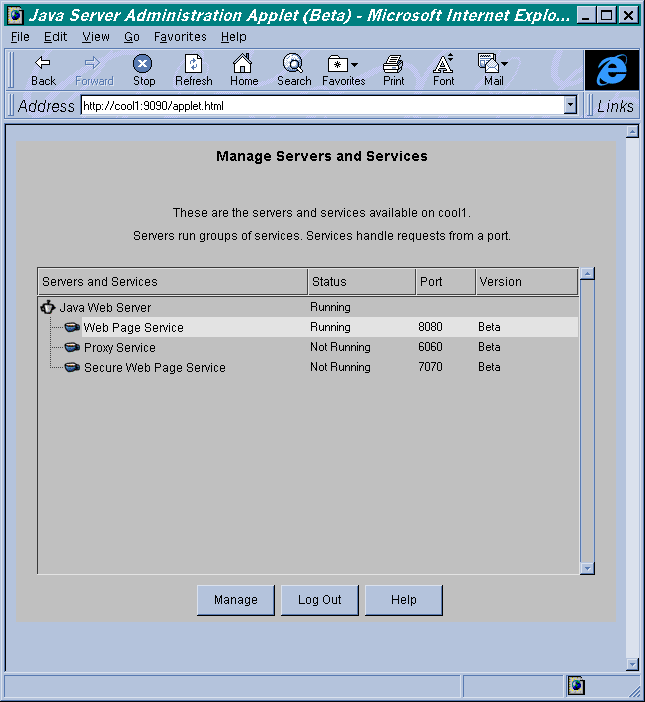
After your web browser contacts these URLs the applet code for the
Servlet administrator will be downloaded and executed. First you'll
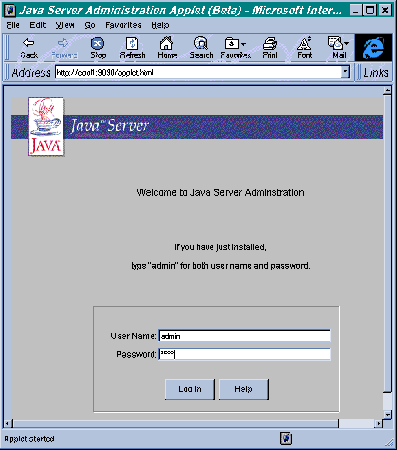
see the login screen shown in Figure 03.
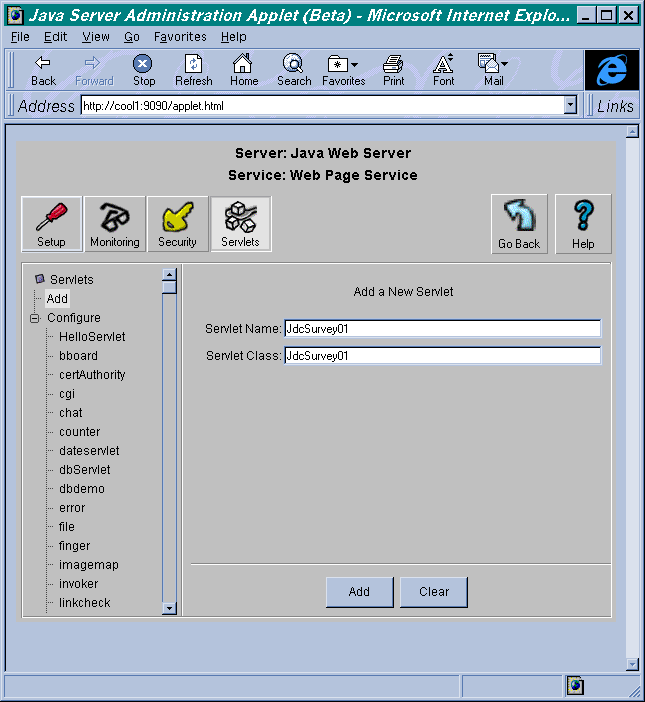
Fill these fields in as follows:
    ServletName:   "JdcSurvey01"
    Servlet Class: "JdcSurvey01"
You do have the option of giving the servlet a different name from
the class name. The class name is the name given to the subclass of
HttpServlet, which implements your servlet, in this case
JdcSurvey01.
    public class JdcSurvey01 extends HttpServlet
    {
        ...
    }
Finally, once you have added the JdcSurvey01 to the JavaServer,
you'll see it appear in the list box underneath the Configure
heading inside the JavaServer Administration Applet. When you select
JdcSurvey01 in the list box, you'll be able to set arguments
(passed as properties) for the servlet through the dialog panel shown in
Figure 06.
Arguments: baseDir=/tmp
The default value for this property can also be specified in the
configuration file servlets.properties. The full
pathname for this file, relative to the root location where you
installed your JavaServer is:
    admin/properties/process/javawebserver/webpageservice/
                                              servlets.properties
One of the lines in the file should read:
servlet.SurveyServlet.initArgs=baseDir=/tmp
or be set to another directory location, if you prefer an alternate
default location.
Once you have installed the servlet though the Administration applet,
you can invoke it from within an HTML file, such as
|